KMcpClientInspector 0.3 released: a KDE tool to inspect and debug MCP servers
I’m happy to announce the release of KMcpClientInspector 0.3, a KDE application to inspect and debug servers implementing the Model Context Protocol (MCP).
MCP is an open protocol that lets applications expose tools, prompts and resources to clients such as AI assistants, using JSON-RPC messages. When you write an MCP server, you quickly need a way to see what your server actually announces, to call its tools by hand and to look at every message exchanged. That is what KMcpClientInspector does: it acts as an MCP client, connects to your server, lets you send requests to it and shows you everything that goes over the wire.
Managing your servers
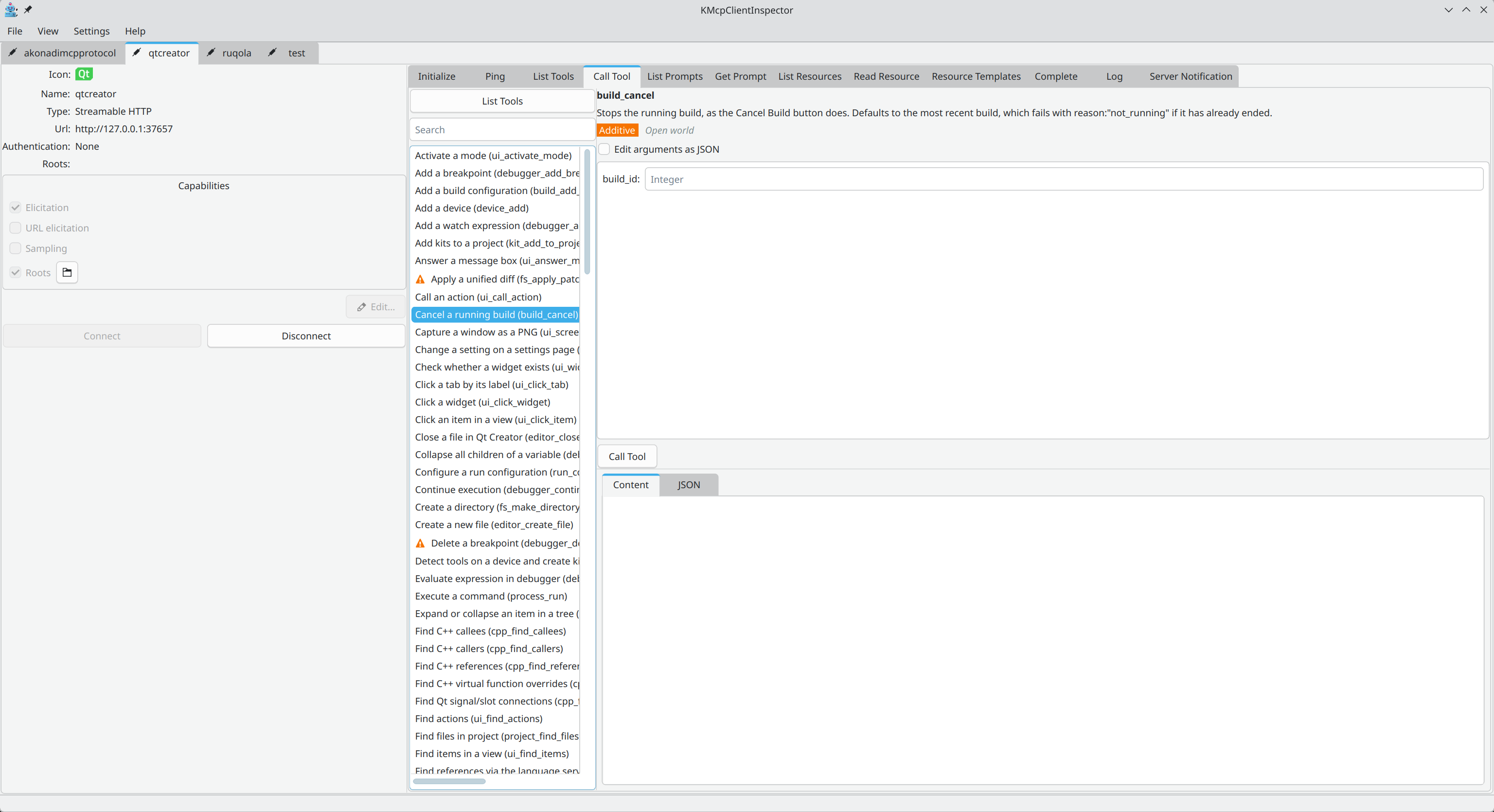
- Keep a list of MCP servers, and add, edit, remove, enable or disable them. Each enabled server gets its own tab.
- Two kinds of servers are supported: local servers, started as a process with a command, arguments and environment variables, and remote servers, reached through a URL, with custom HTTP headers and optional bearer-token authentication.
- Choose which client capabilities are announced during initialization: elicitation, URL elicitation, sampling and roots. Global defaults are set in the configuration dialog and can be overridden per server.
- Define the roots (directories or files) exposed to a server, globally or per server. If roots change while the server is connected, the server is notified.
- Configure a request timeout.
Talking to a server
Once connected, the server tab shows one tab per kind of request. Tabs for tools, prompts and resources only appear when the server announces the matching capability.
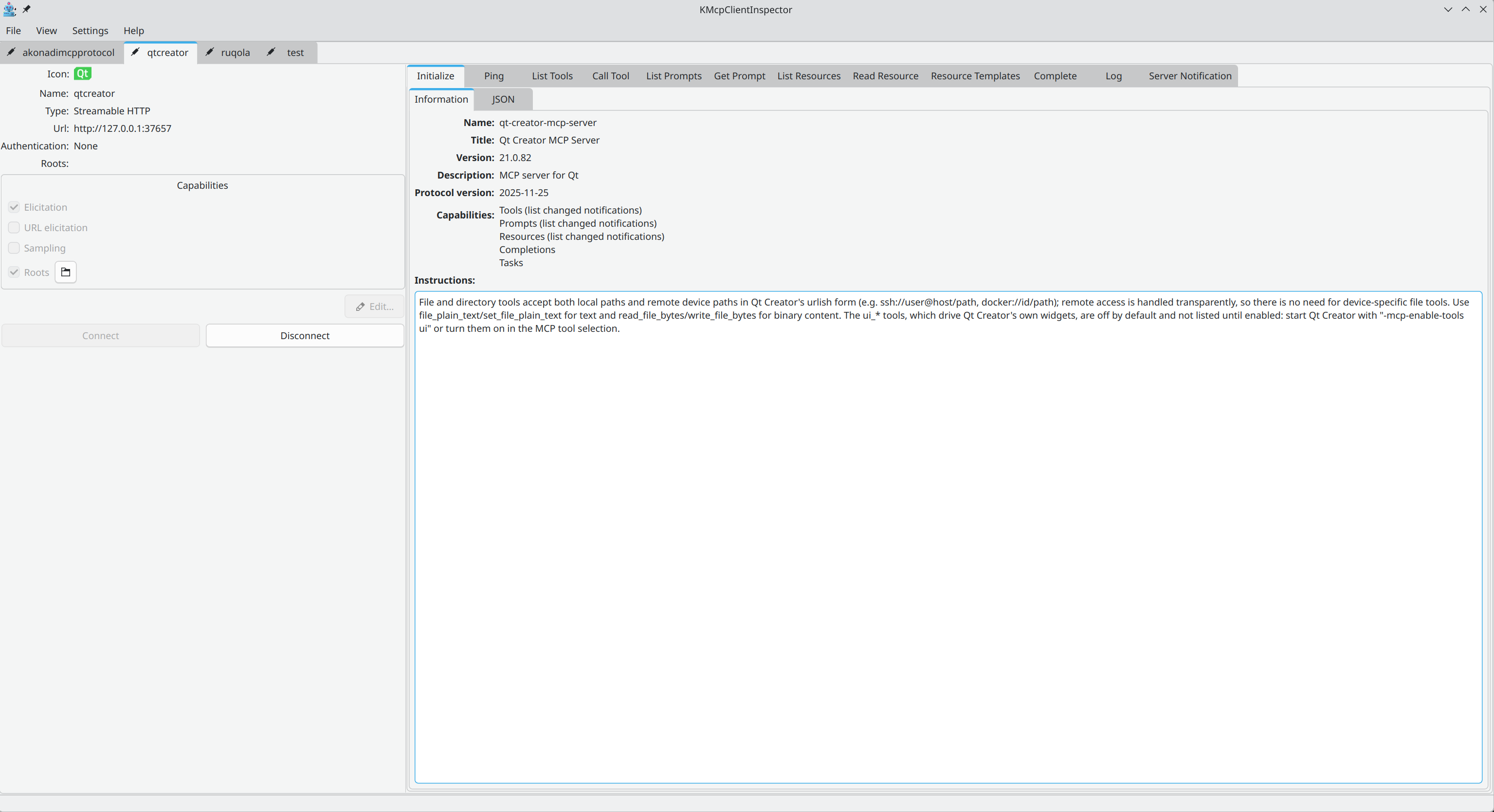
- Initialize: the server’s answer to the initialization handshake (name, version, protocol version, capabilities and instructions), as a readable summary and as raw JSON.
- Ping: check that the server is still answering.
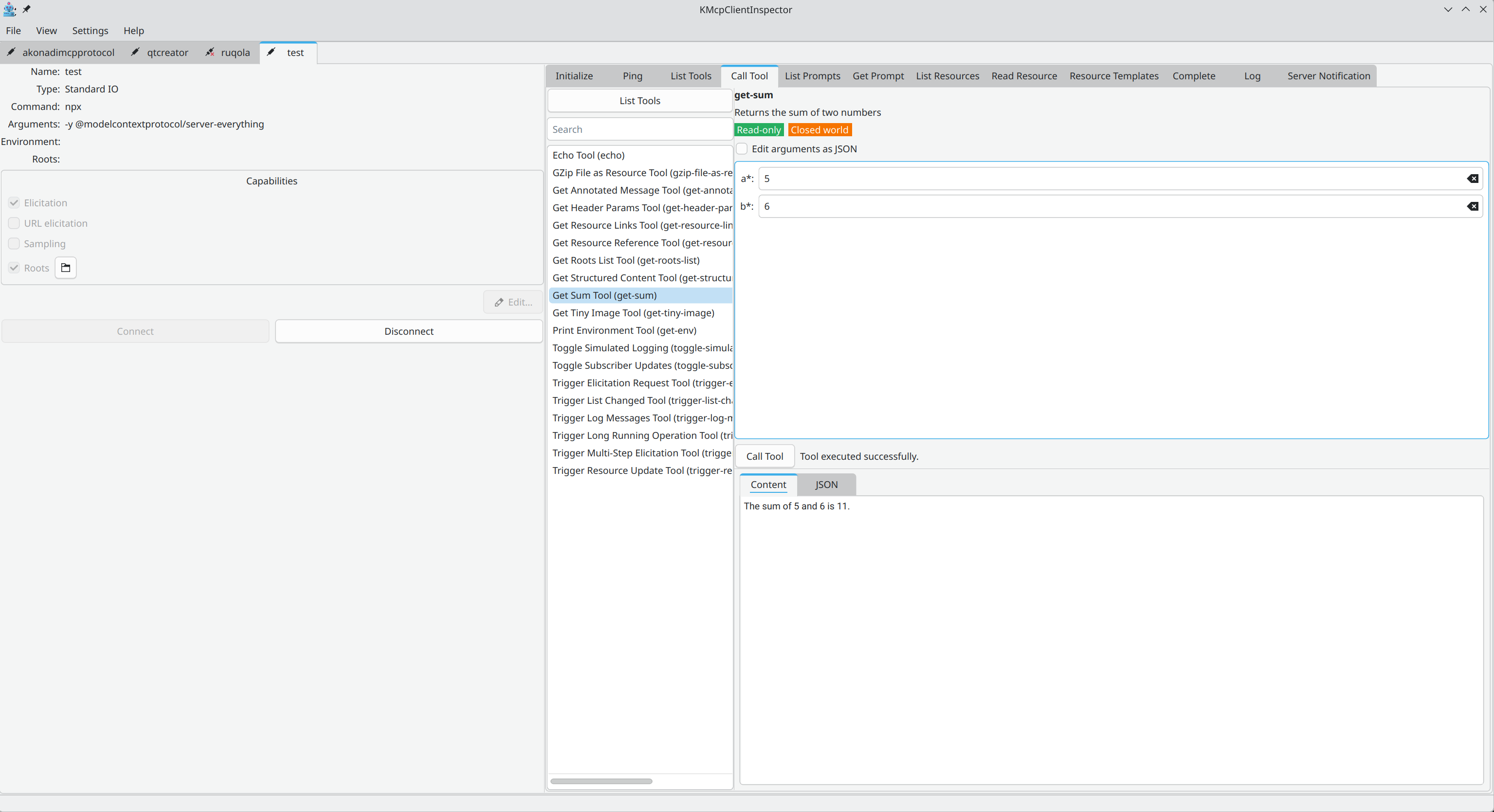
- Tools: list the tools and call them. Each argument gets a field matching its type (text, integer, number, boolean or JSON), or you can write all arguments as one JSON object. Required arguments and types are checked before the request is sent. Tool annotations are shown as badges (read-only, destructive, idempotent, open world…), and destructive tools get a warning icon. During a call, progress notifications are shown in a progress bar, and a long call can be cancelled. The result is shown both as readable content (text, images, audio, resource links, embedded resources, structured content) and as raw JSON.
- Prompts: list the prompts, fill in their arguments and get them. The resulting messages are shown with their role (user or assistant).
- Resources: list resources and resource templates, read a resource by selecting it or typing its URI, and subscribe to it so it is read again automatically when it changes.
- Completion: ask the server to complete an argument value for a prompt or a resource template.
Seeing what goes over the wire
- The Log tab lists every JSON-RPC message exchanged with the server, with its identifier, method, time, duration and direction (sent or received). You can search it, filter by direction, and select a message to see its JSON.
- The Server Notification tab shows the log messages sent by the server, with time, level, logger and message. You can ask the server to change its logging level (
logging/setLevel) and hide messages below a chosen level. - Desktop notifications tell you when a server’s tools, prompts or resources change, and when an error happens.
Answering requests from the server
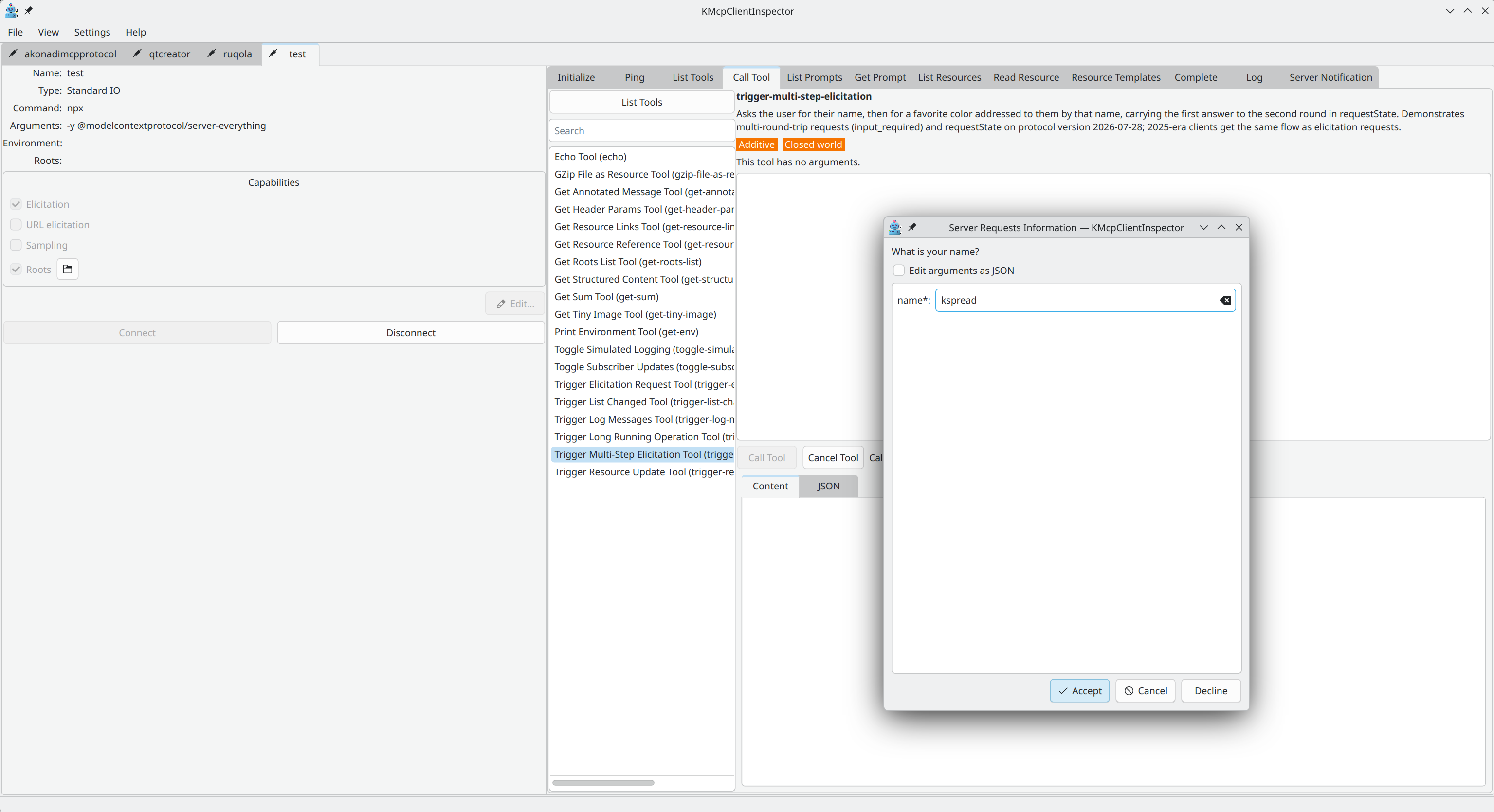
MCP is not one-way: a server can also send requests to the client. KMcpClientInspector shows a dialog for each of them, so you can test these flows by hand:
- Elicitation: the server asks the user for information. A field is shown for each requested value, and you can accept, decline or cancel.
- URL elicitation: the server asks the user to complete an interaction in a web browser. The domain and full URL are shown, and the page is only opened if you click Open.
- Sampling: the server asks the client to generate a message with a language model. You see the request and write the answer yourself, so you can test your server without plugging in a real model.
- Roots: answered automatically with the roots configured for the server.
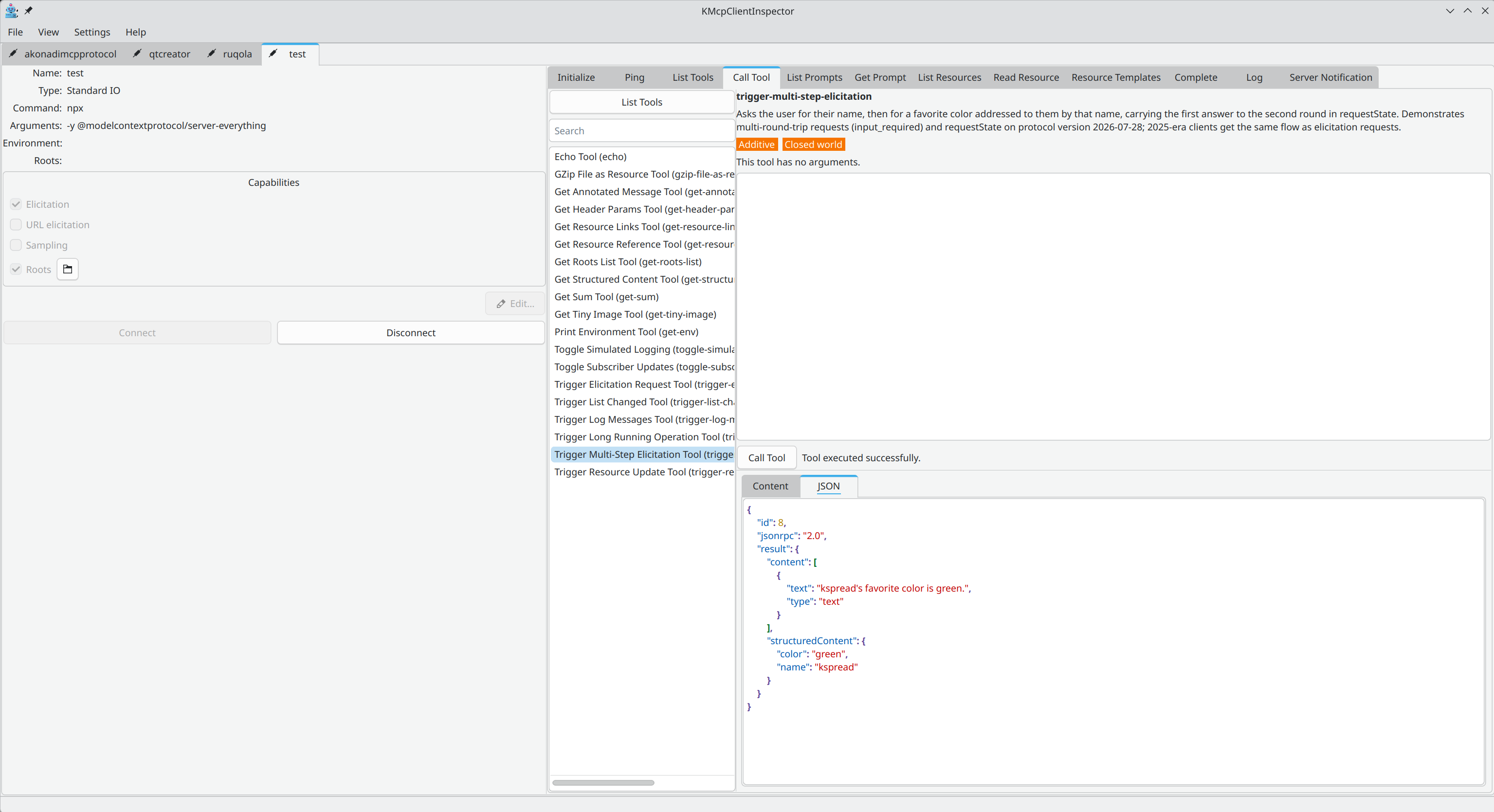
Getting it
KMcpClientInspector 0.3 depends on KTextAddons 2.3.0, which provides the MCP protocol implementation it is built on. It also needs Qt 6.10 and KDE Frameworks 6.
- Tarball: kmcpclientinspector-0.3.0
- Source code: invent.kde.org/sdk/kmcpclientinspector
- Bug reports: bugs.kde.org
Feedback, bug reports and contributions are welcome. If you are writing an MCP server, give it a try and tell me what is missing!
About The Author
